Furbar - Furniture eCommerce Bootstrap 5 Template
Minimal & Creative
Introduction
Template Name: Furbar - Furniture eCommerce Bootstrap 5 Template
Thank you very much for choosing our template. We truly appreciate and really hope that you'll enjoy our template!If you like this template, Please support us by rating us 5 stars..
Furbar is a simple and elegant technology HTML Template. This theme has 4 homepage layouts and responsive, easy to customize. You can using his HTML Template for digital, technology products, high tech products, accessories.
Furbar comes with a variation of 37+ HTML pages where there are 4 unique home versions. It is built with Bootstrap 5, HTML 5, SASS, CSS3 and W3C validated markup. This SEO-friendly template comes with numerous features like,Image Zoom, Google Fonts, Font Awesome, Plaza icons and many more.
Now grow your business with this Furbar - Furniture eCommerce Bootstrap 5 Template without any hesitation.
- By: HasThemes
- URL: https://hasthemes.com/
- HelpDesk: https://hasthemes.com/contact-us/
Template features
- Build with Bootstrap 5
- 4 Homepage
- 4 Unique Header Style
- 31+ HTML pages
- Made with SASS (SCSS)
- Icon font (pe icon 7 stroke & Font Awesome)
- Google Fonts
- W3C Validated Code
- Clean Code
- Creative and Modern Design
- Fully Responsive
- Easy to customize
- Cross Browser Support
- Well Documented
- No console error
Need Support?
If you have any questions regarding to theme issues, please submit a ticket at https://hasthemes.com/contact-us/Files Included
- Documentation
- Template Files - Furbar
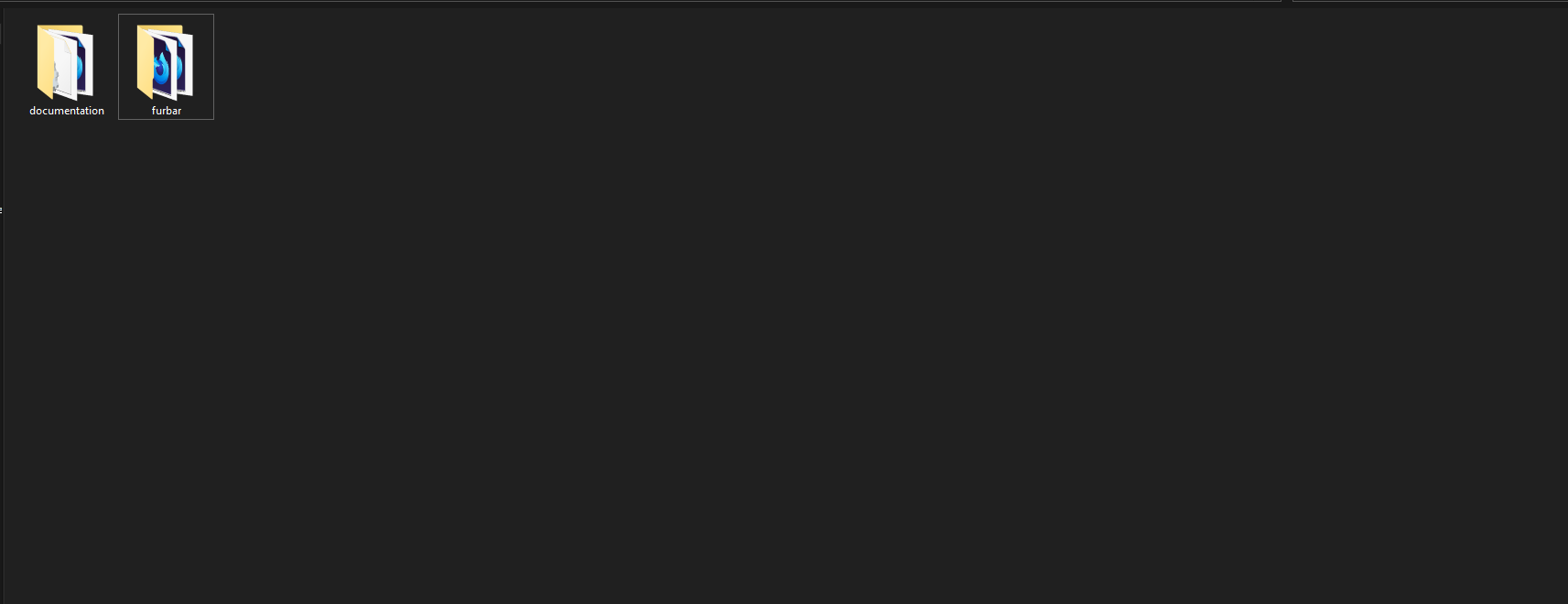
Root Folder Structure
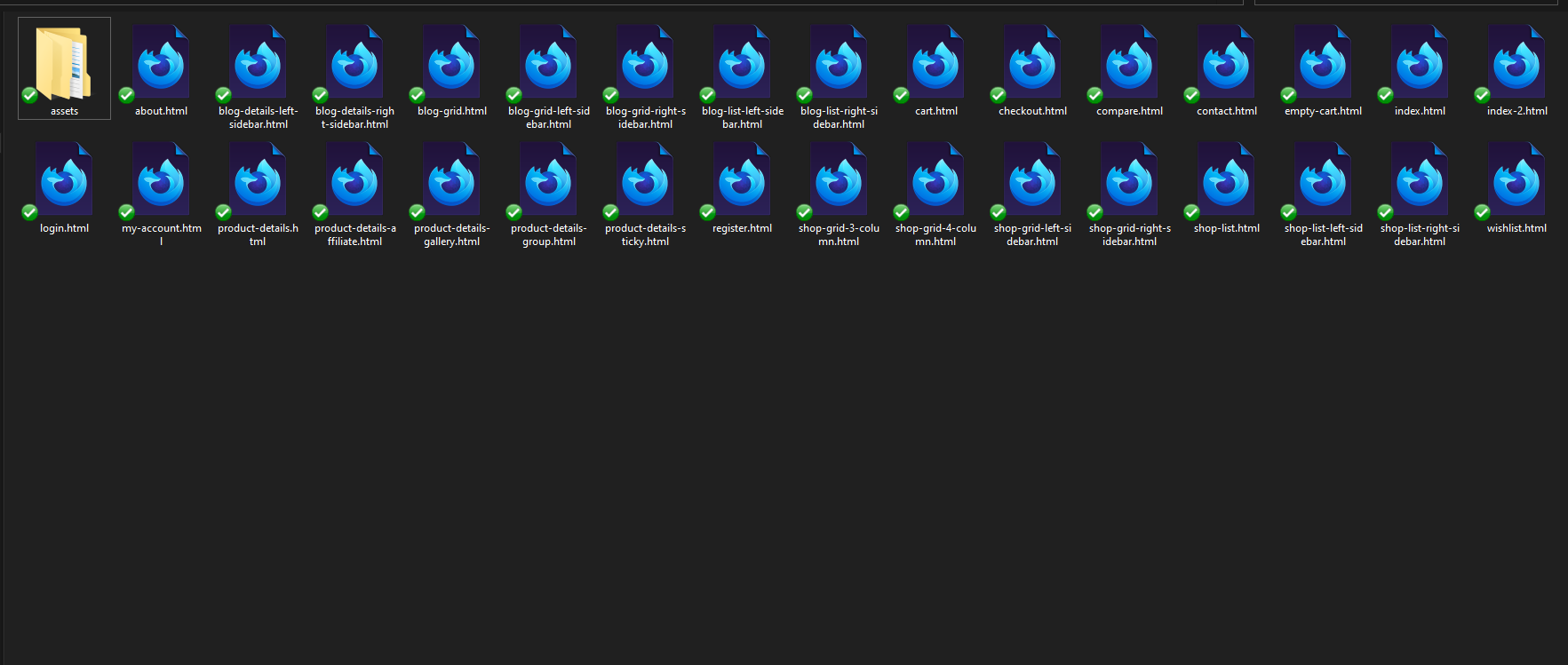
FTP Upload
- Open up your FTP manager and connect to your hosting
- Browse to required directory (Normally public_html)
- Upload the all files inside Furbar folder.
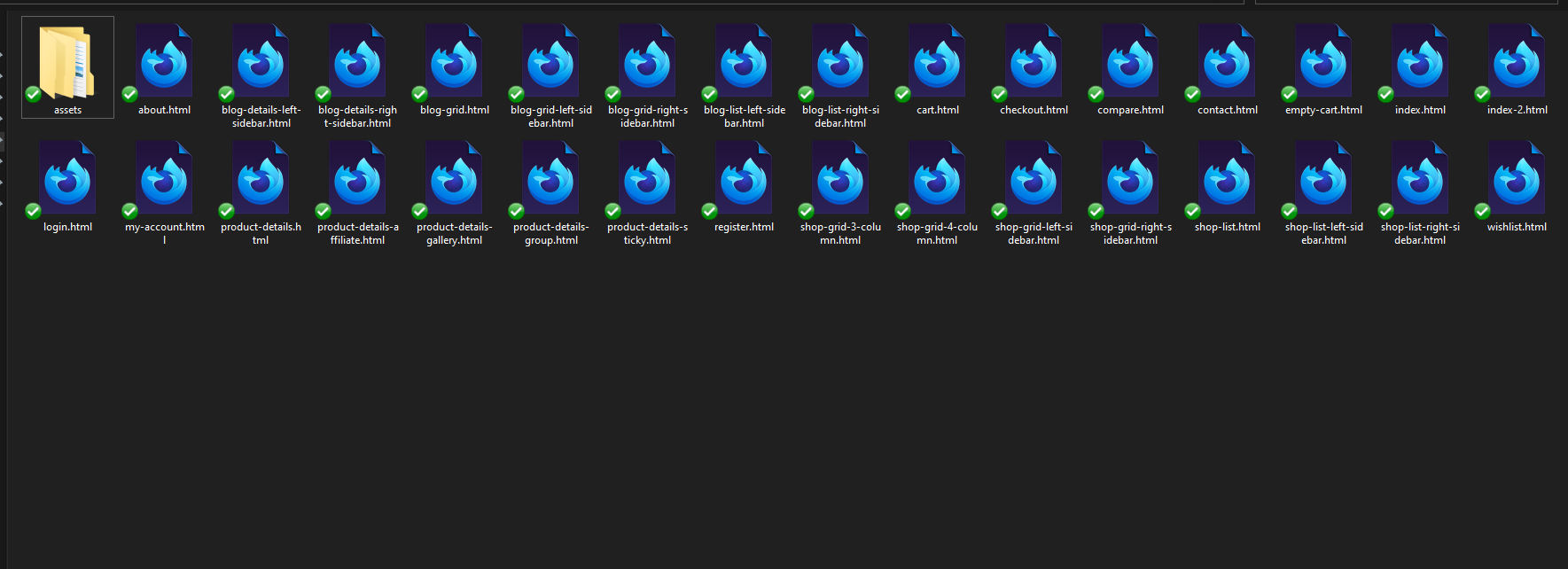
Page Structure
- index.html is for Home page one
- index-2.html is for Home page two
- about.html is for About page
- cart.html is for Cart page
- compare.html is for Compare page between the Products
- wishlist.html is for Wishlist page for the selected Products
- empty-cart.html is for no product at cart
- checkout.html is for Checkout page
- my-account.html is for User dashboard page
- login.html is for User log-in
- register.html is for register new account page
- shop-grid-3-column.html is for Default Shop Page (without sidebar)
- shop-grid-4-column.html is for Default Shop Page (without sidebar)
- shop-grid-left-sidebar.html is for Shop Page (with left sidebar)
- shop-grid-right-sidebar.html is for Shop Page (with right sidebar)
- shop-list.html is for List Shop Page (without sidebar)
- shop-list-left-sidebar.html is for List Shop Page (with left sidebar)
- shop-list-right-sidebar.html is for List Shop Page (with right sidebar)
- product-details.html is for Details Product Page of details (normal view)
- product-details-affiliate.html is for Details Product Page of details (normal view)
- product-details-gallery.html is for Details Product Page of details (leftside gallery view)
- product-details-group.html is for Details Product Page of details (normal view)
- product-details-sticky.html is for Details Product Page of details (leftside sticky view)
- blog-grid.html is for Blog Grid Page (without sidebar)
- blog-grid-left-sidebar.html is for Blog Grid Page (left sidebar)
- blog-grid-right-sidebar.html is for Blog Grid Page (right sidebar)
- blog-list-left-sidebar.html is for Blog List Page (left sidebar)
- blog-list-right-sidebar.html is for Blog List Page (right sidebar)
- blog-details-left-sidebar.html is for Details Blog Page (left sidebar)
- blog-details-right-sidebar.html is for Details Blog Page (right sidebar)
- contact.html is for Contact page
Source File Structure
Fonts Source File structure
Remember to change the font into style.css
            <!--All Google Fonts-->
            @import url('https://fonts.googleapis.com/css2?family=Great+Vibes&family=Rajdhani:wght@300;400;500;600;700&family=Rubik:wght@300;400;500;600;700;800;900&display=swap');
CSS Source File structure
These are the css files that are loaded into templates in Head Section.
            <!-- CSS
            ============================================ -->

            <!-- Icon Font CSS -->
            <link rel="stylesheet" href="assets/css/plugins/pe-icon-7-stroke.css">
            <link rel="stylesheet" href="assets/css/plugins/font-awesome.min.css">

            <!-- Plugins CSS -->
            <link rel="stylesheet" href="assets/css/plugins/animate.min.css">
            <link rel="stylesheet" href="assets/css/plugins/swiper-bundle.min.css">
            <link rel="stylesheet" href="assets/css/plugins/odometer.min.css">
            <link rel="stylesheet" href="assets/css/plugins/nice-select.min.css">
            <link rel="stylesheet" href="assets/css/plugins/select2.min.css">
            <link rel="stylesheet" href="assets/css/plugins/ion.rangeSlider.min.css">

            <!-- Main Style CSS -->
            <link rel="stylesheet" href="assets/css/style.css">
Javascript Source File structure
These are the list of Javascript files that are loaded into templates in end of the Body Section.
            <!-- JS
            ============================================ -->

            <!-- Modernizer & jQuery JS -->
            <script src="assets/js/vendor/modernizr-3.6.0.min.js"></script>
            <script src="assets/js/vendor/jquery-3.3.1.min.js"></script>

            <!-- Bootstrap js -->
            <script src="assets/js/plugins/popper.min.js"></script>
            <script src="assets/js/plugins/bootstrap.min.js"></script>

            <!-- All Plugins js -->
            <script src="assets/js/plugins/swiper-bundle.min.js"></script>
            <script src="assets/js/plugins/ajax-contact.js"></script>
            <script src="assets/js/plugins/appear.js"></script>
            <script src="assets/js/plugins/odometer.min.js"></script>
            <script src="assets/js/plugins/jquery.nice-select.min.min.js"></script>
            <script src="assets/js/plugins/select2.min.min.js"></script>
            <script src="assets/js/plugins/ion.rangeSlider.min.min.js"></script>
            <script src="assets/js/plugins/jquery.zoom.min.js"></script>

            <!-- Main Activation js -->
            <script src="assets/js/main.js"></script>
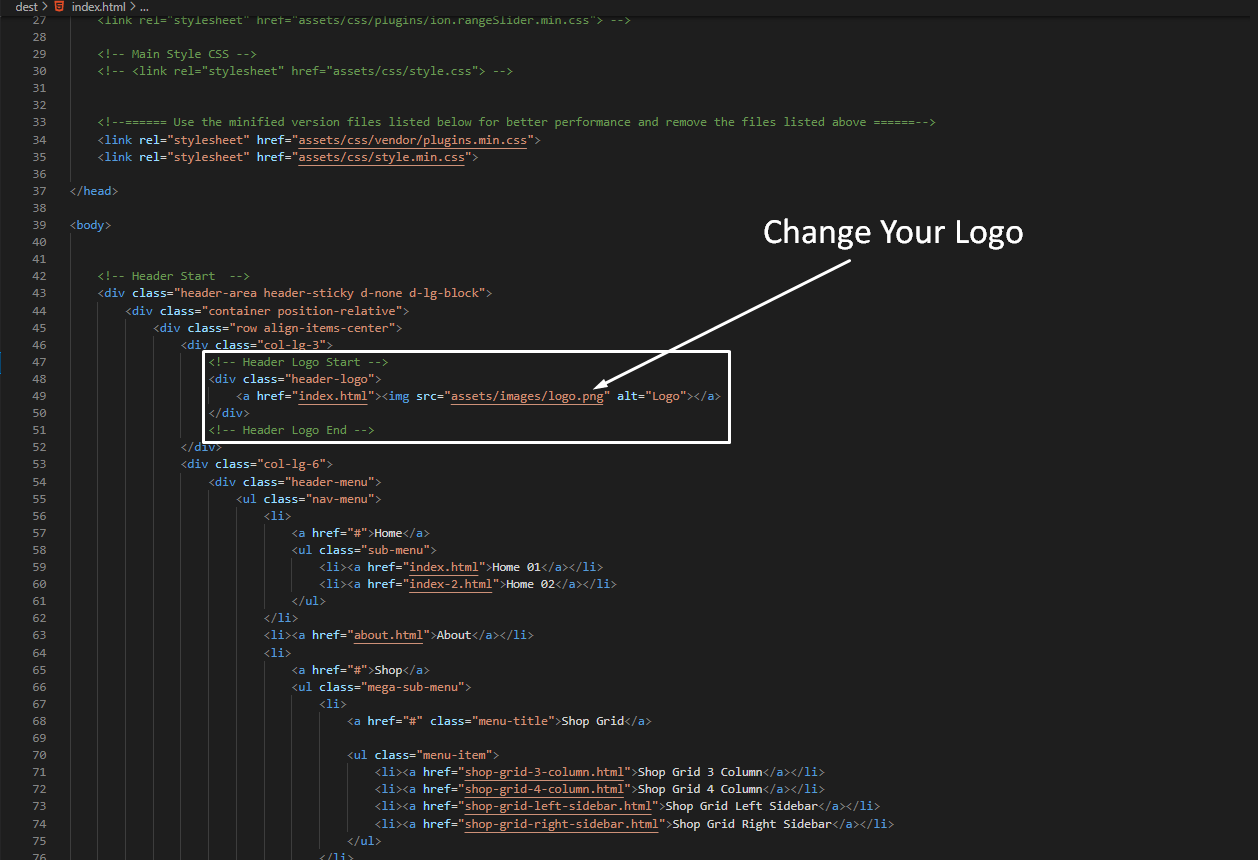
How to change Logo?
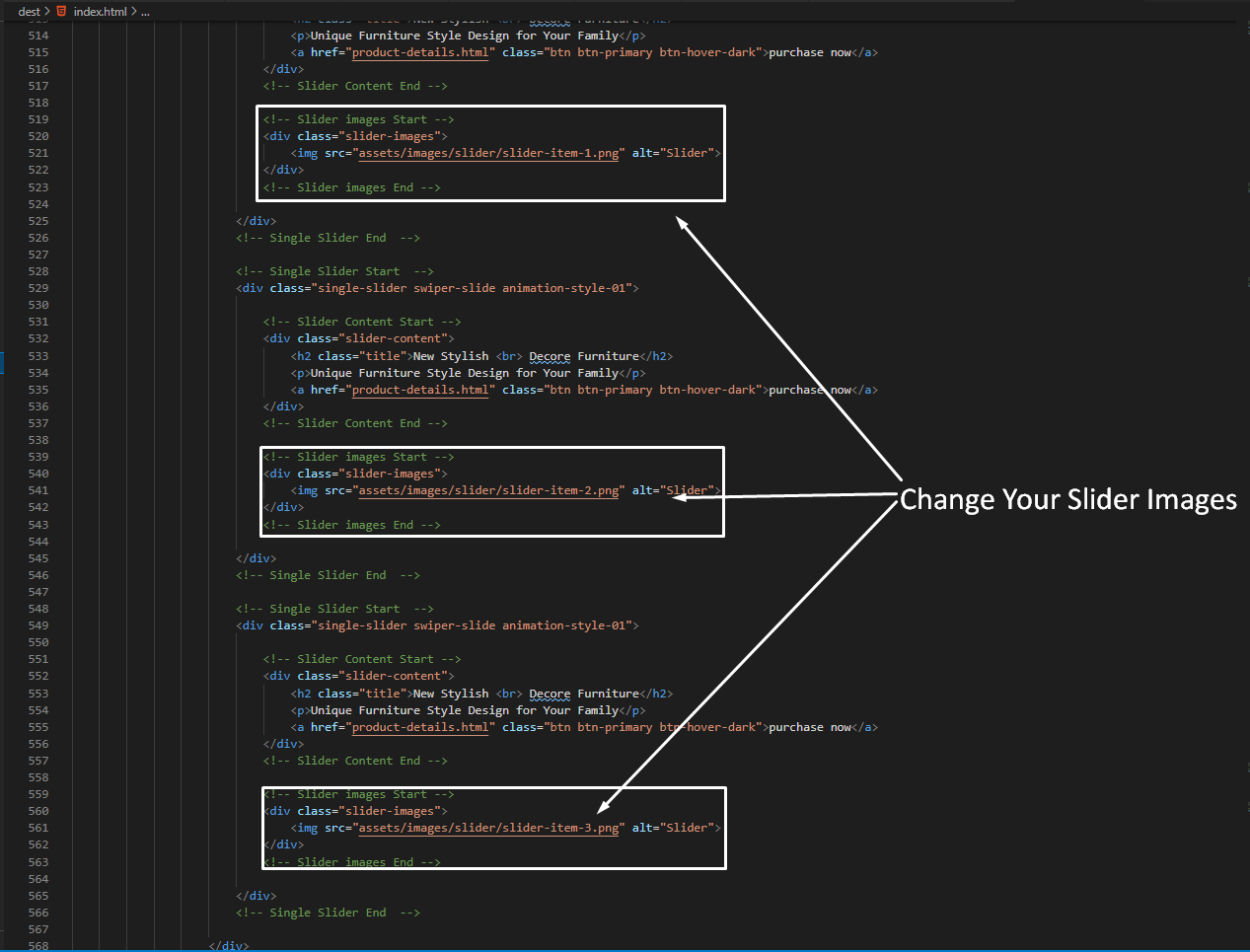
How to Change Background Image?
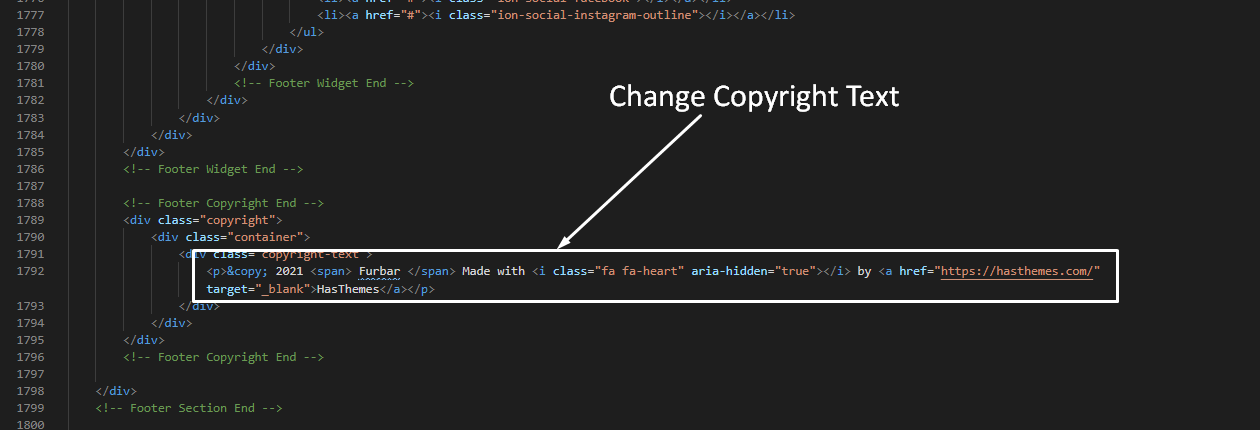
How to Change Copyright?
You can change copyright text from here.
How to Change Mail?
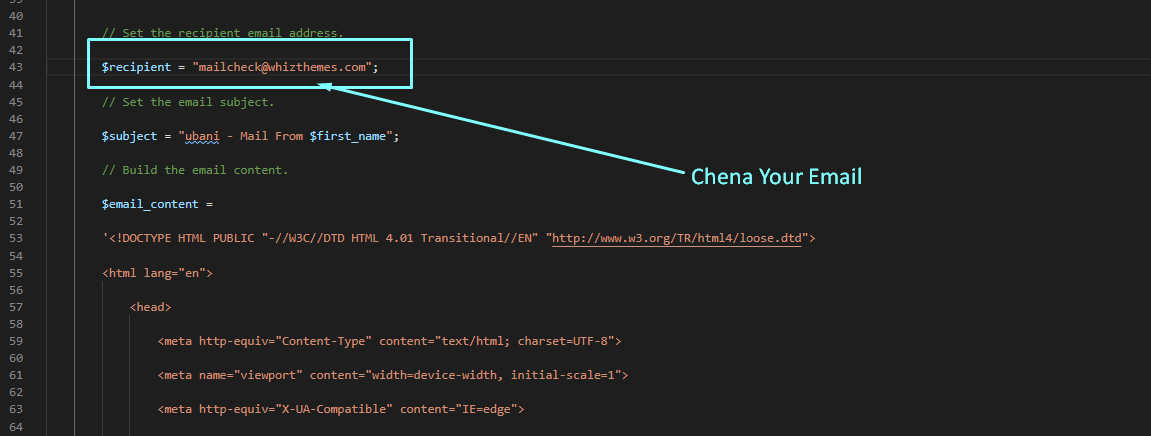
You can pass dynamic email in the contact form and newsletter.